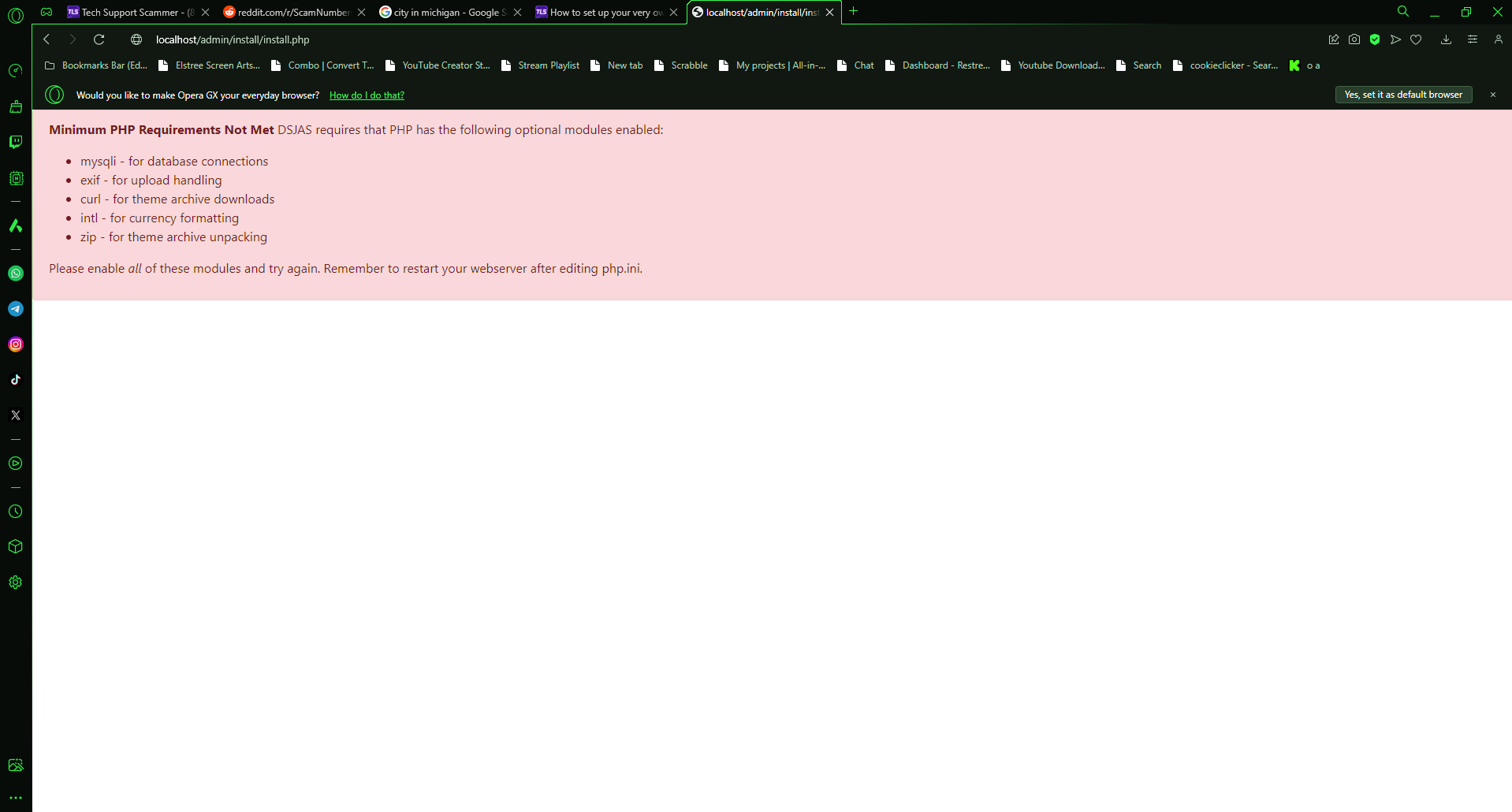
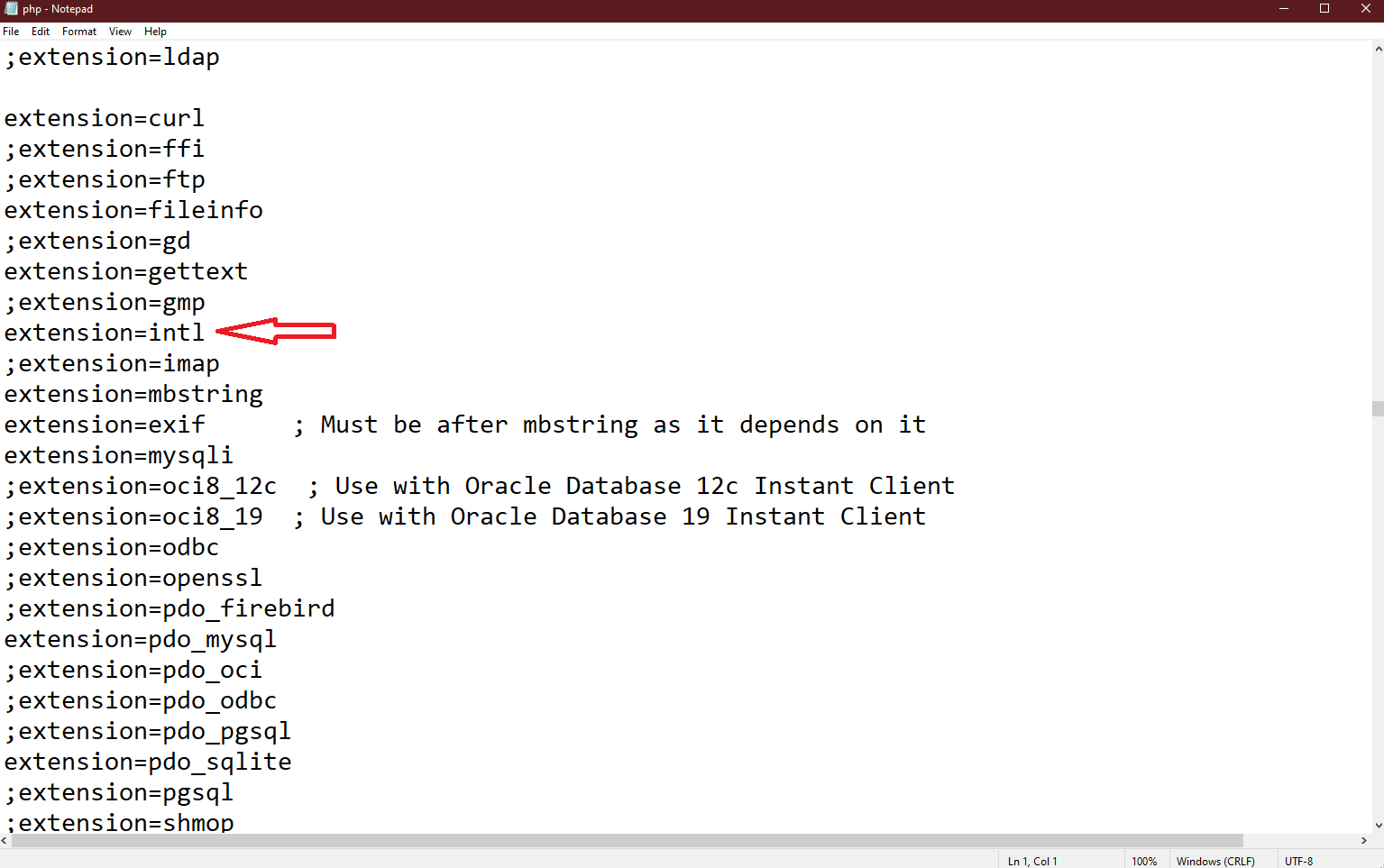
For anyone curious I finally got it working! I was still getting errors after the new update, but I fixed it by downloading XAMPP 8.2.12 (PHP 8.2.12), and it even works on mobile!!
The best part is the newest XAMPP you don’t need to download any modules, and all you have to do is activate them in php.ini and it should all work. Hopefully this helps people out, so you can get to work!
This is awesome, I would assume it took a lot of effort so thank you for your work.
A couple of questions. Does it still work?
And did you ever make the video version?
Regards The Irish ScamBaiter XOXO
Hey guys! If you are new to DSJAS Bank and want to populate the transactions table quickly and easily. I whipped together this quick video so you don’t have to handjam transactions it. Uses ChatGPT, phpMyAdmin, and Excel/notepad.
Hey I don’t know if you found it out yet, I just got it to work! I went through Apache’s config option, clicked on the PHP (php.ini) file. In there when you scroll down a bit of ways you’ll find these labeled with ; in front of them. Remove the ; and save. I got it to work after that! It was under Dynamic Extensions, I also removed the extension.zip which was a little bit down! Hope this helps!
Warning : require(C:/xampp/htdocs/include//install/Utils.php): Failed to open stream: No such file or directory in C:\xampp\htdocs\DSJAS-release-alpha (1)\include\Bootstrap.php on line 30
keeps giving me this over and over again super stuck, any help?
Fatal error : Uncaught Error: Failed opening required ‘C:/xampp/htdocs/include//install/Utils.php’ (include_path=‘C:\xampp\php\PEAR’) in C:\xampp\htdocs\DSJAS-release-alpha (1)\include\Bootstrap.php:30 Stack trace: #0 C:\xampp\htdocs\DSJAS-release-alpha (1)\Index.php(19): require() #1 {main} thrown in C:\xampp\htdocs\DSJAS-release-alpha (1)\include\Bootstrap.php on line 30
when using the flag “Insecure origins treated as secure”, chrome shows an error saying “you are using an unsupported flag” and it shows up every time i open chrome. scammers will probably see that and realize im not a real victim, so is there any way i can remove it?
late to the party but I was having a similar issue.
I had "stay invisible on LAN" active on my VPN (NordVPN) and wasn’t able to access the host via my VPN with the hosts IPv4.
After turning it off I was able to access it normally (maybe that’s helpful for some)
cheers
Whenever im at the spot where i do local host and it should show the setup page for DSJAS it says
"Minimum PHP Requirements Not Met DSJAS requires that PHP has the following optional modules enabled:
mysqli - for database connections
exif - for upload handling
curl - for theme archive downloads
intl - for currency formatting
zip - for theme archive unpacking
Please enable all of these modules and try again. Remember to restart your webserver after editing php.ini."
ok.. got everything set up but im stuck on bring my bank page up.. i can only get it up by using localhost. i tried changing everything to my custom http www.. anyone want to point a new family member in the right direction would be awsome!! thank you..
I’m past that part got everything working good . I just can’t figure out how to do the custom URL I always have to type localhost to show the bank web page.